Bulk create
Bulk create fills one design with the rows of a spreadsheet: one page per row, made in seconds. Perfect for name badges, speaker cards, certificates and product posts.
Add placeholders
- Design one version as usual.
- Where a value changes, type its column name in double curly brackets, like
{{name}}or{{talk}}.
Add your data
- Open Bulk create in the left rail. It lists the placeholders it found.
- Click Open a CSV file, pick one From Drive, or paste rows from a spreadsheet and click Use pasted data. The first row holds the column names.
- Check the row count, then click Make designs.
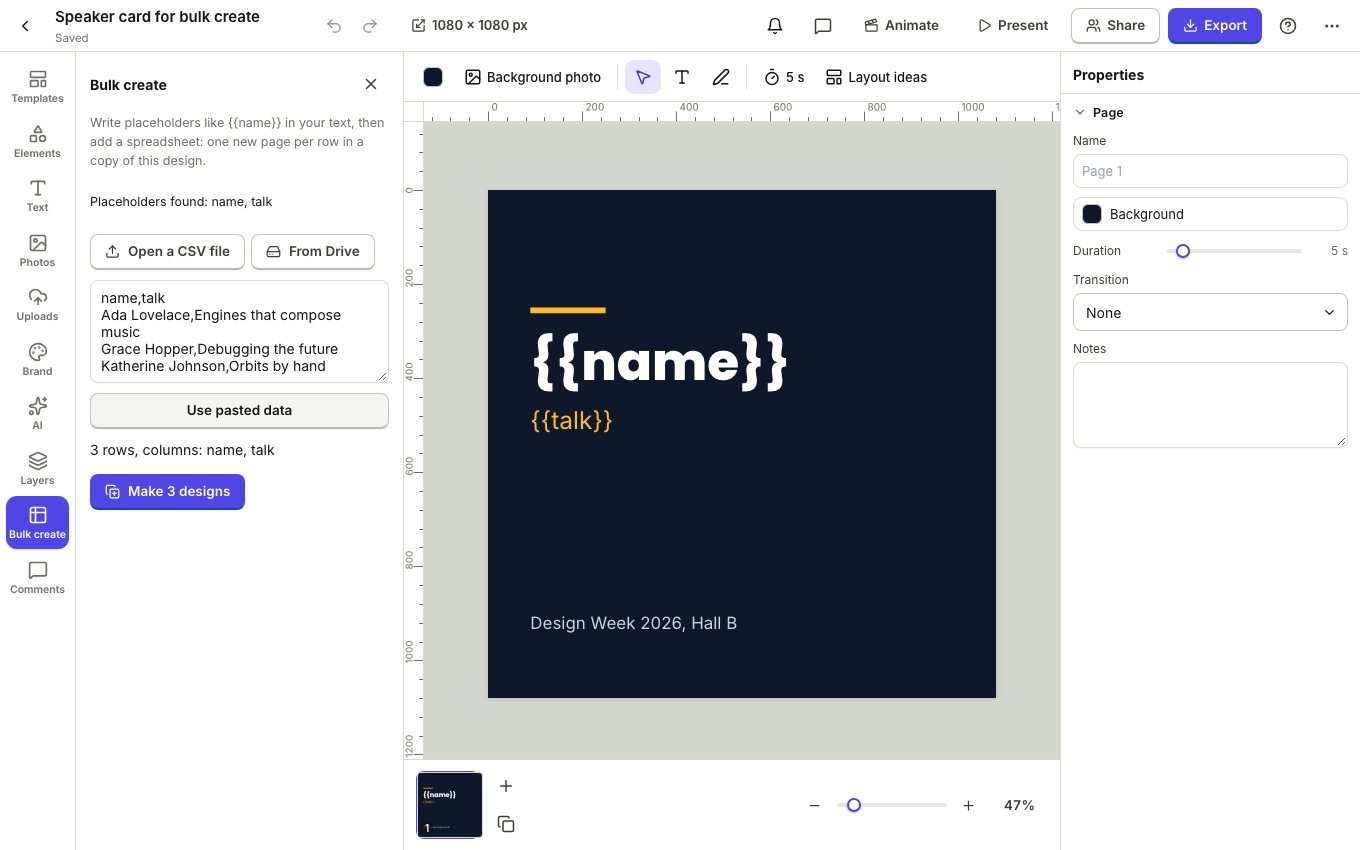
The result
A new design opens with one page per row and every placeholder filled in. Your original stays as it was, ready for the next batch. Export the pages together as a PDF, or as images in a zip.
A QR code element can use placeholders too, so each page gets its own link.