Print ready PDF
Designs that are ready for the printer
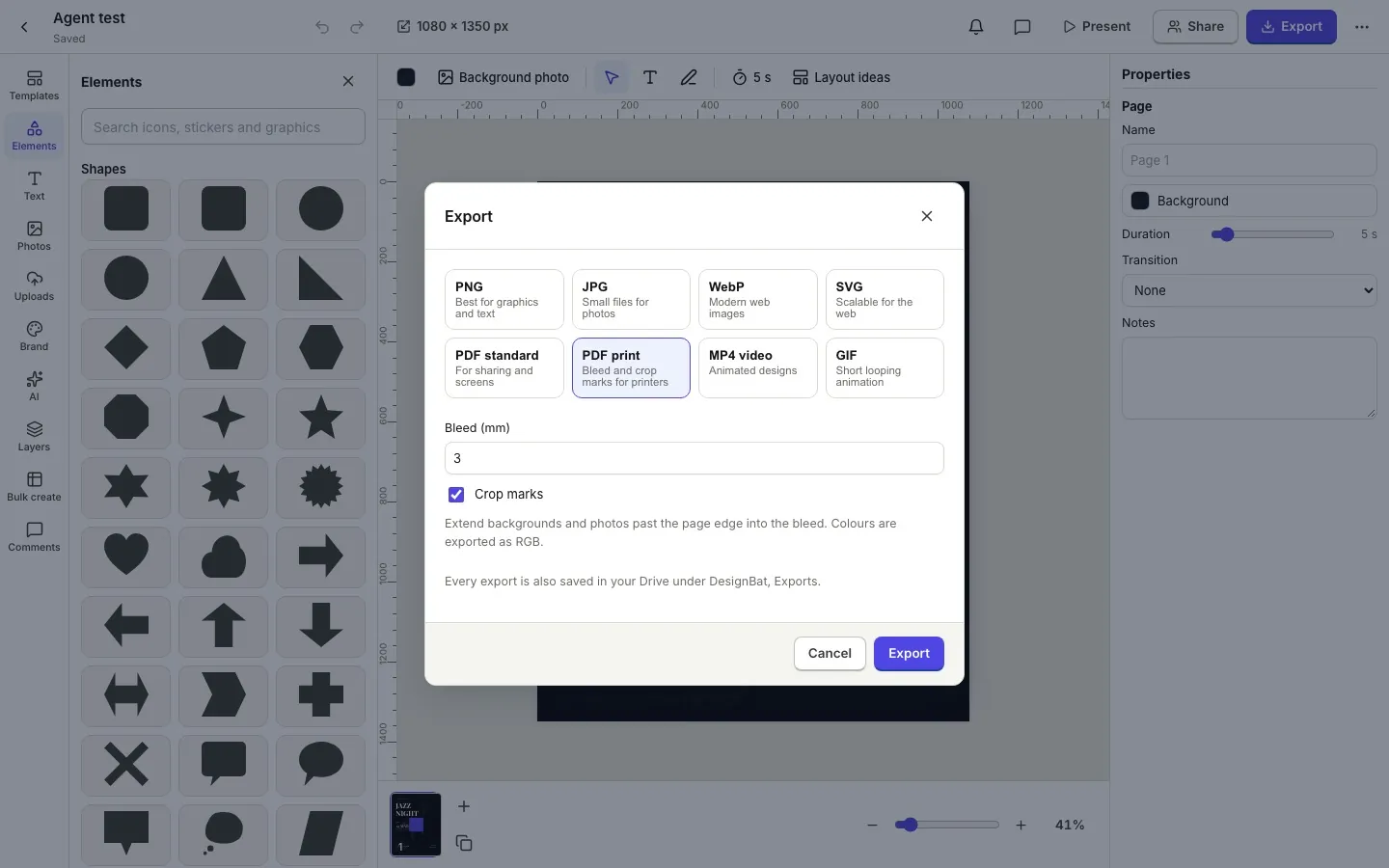
Set a print size in millimetres or inches at the resolution you need, see the bleed and safe area while you design, and export a PDF with bleed and crop marks.
Print sizes done right
A4, A5, Letter, posters, business cards, postcards and invitations, or any custom size. Work at 300 DPI for sharp results.
- Units in px, mm or in with a chosen DPI
- Bleed and safe area guides on the canvas
- Standard and print PDF exports
Catch problems before you print
The preflight check looks for photos that are too low in resolution for their size, text too close to the trim and elements that should reach into the bleed.
- Low resolution photo warnings
- Text outside the safe area
- Crop marks placed outside the bleed
How it works.
- 1
Choose a print size
Pick a preset or type your size and DPI.
- 2
Design inside the guides
Keep text in the safe area, extend backgrounds into the bleed.
- 3
Export print PDF
Run the preflight and download the PDF with bleed and marks.
Questions.
Can I export CMYK?
Not yet. PDFs are RGB, which most online printers accept and convert. CMYK output is on our roadmap.
How much bleed is added?
3 mm by default, and you can change it.
Is the text in the PDF sharp?
Yes. Text and shapes stay vector in PDF exports.
Related features.
Export and Drive
Download designs as PNG, transparent PNG, JPG, WebP, SVG or PDF at the quality and scale you choose, multi page designs as a zip, and keep a copy in your OfficeBats Drive.
Templates and sizes
Original templates for social posts, stories, posters, flyers, logos, business cards, invitations, banners, thumbnails and presentations, with open licence fonts and photos.
Design editor
A free form design editor in your browser: any size, many pages, layers, smart guides, text effects, shapes, icons, charts, tables, QR codes and photo frames.
Your next design
starts here.
Free to start. No credit card. One OfficeBats account for every Bats app.