Export and Drive
Every format you need, saved where you need it
Choose the format, quality and scale, export one page or all of them, and find every export in your OfficeBats Drive next to your files from the other Bats apps.
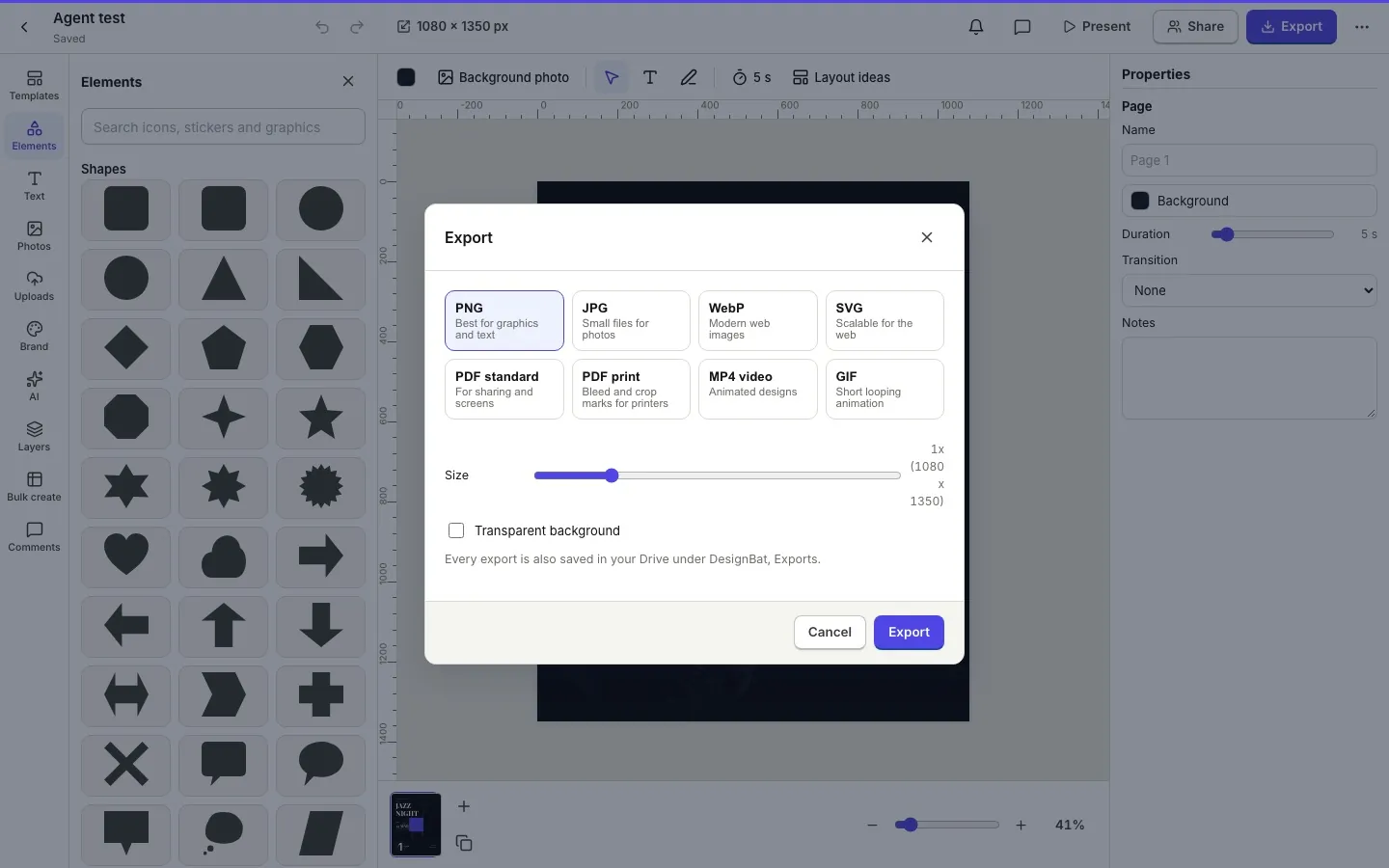
Image and vector formats
PNG with or without a background, JPG and WebP with a quality slider, SVG for the web, and PDF for documents and print.
- Scale up to 4x for sharp images
- Transparent PNG and WebP
- Standard and print PDF with bleed and crop marks
Saved to your Drive
Designs and exports are saved to your OfficeBats Drive automatically, so they are always one click away in any Bats app.
- Multi page exports as a zip
- Video and GIF for animated designs
- Free exports carry a small DesignBat mark, Pro has none
How it works.
- 1
Open Export
Pick a format and options.
- 2
Download
Choose one page or all pages.
- 3
Find it later
Every export is in your Drive.
Questions.
Is there an export limit?
The Free plan has a daily export limit. Pro exports are unlimited and have no mark.
Is SVG text editable?
Shapes, icons and images are native SVG. Text stays as text with its fonts referenced, so it stays sharp.
Where are exports saved?
In your OfficeBats Drive under DesignBat, Exports.
Related features.
Print ready PDF
Design flyers, posters, business cards and invitations at print sizes in millimetres or inches, then export a print PDF with bleed and crop marks after a preflight check.
Motion editor
Animate any design on a real timeline: keyframes, easing curves, 46 presets, text by letter, word or line, motion paths, music with beat sync, Animate with AI, and MP4, WebM, GIF and WebP export.
Design editor
A free form design editor in your browser: any size, many pages, layers, smart guides, text effects, shapes, icons, charts, tables, QR codes and photo frames.
Your next design
starts here.
Free to start. No credit card. One OfficeBats account for every Bats app.