Brand kit
Your brand, one click away in every design
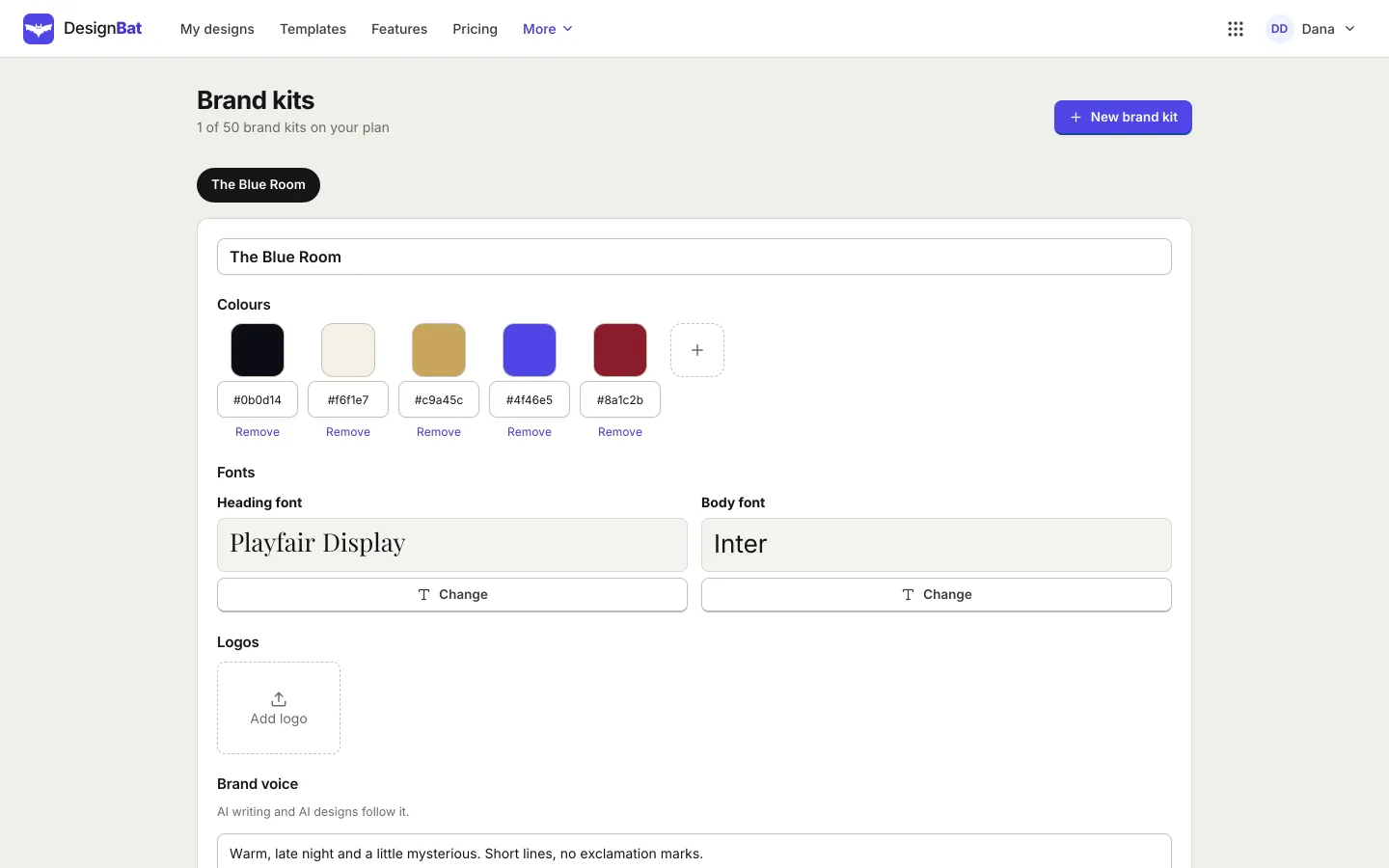
Save your logos, colour palette and fonts once. They appear at the top of every colour and font picker, and AI designs can follow them too.
Everything that makes your brand
Upload logos in PNG or SVG, save named colour palettes and pick heading and body fonts, including fonts you upload yourself.
- Logos, colours and fonts per workspace
- Brand templates your team starts from
- Uploaded SVG files are cleaned before use
Stay consistent
Apply the kit to a whole design in one step, and check a design for colours and fonts that are not part of the kit.
- Apply brand colours and fonts to a design
- Brand aware AI designs
- Consistency check before you publish
How it works.
- 1
Create a kit
Add logos, colours and fonts.
- 2
Design
Pick brand items from the panels while you work.
- 3
Check
Run the brand check and fix anything off brand.
Questions.
Can I have more than one brand kit?
Yes, keep a kit for each brand or client you work with.
Can I upload my own fonts?
Yes, TTF, OTF, WOFF and WOFF2 files. Only upload fonts your licence allows you to use on the web.
Does the AI use my brand kit?
When you ask it to, AI designs use your colours, fonts and logo.
Related features.
Design with AI
Describe a design and get real, editable layers, or let the AI designer work in the editor step by step. Plus image generation, photo editing with words, writing help and resizing with AI.
Design editor
A free form design editor in your browser: any size, many pages, layers, smart guides, text effects, shapes, icons, charts, tables, QR codes and photo frames.
Work together
Edit a design with others at the same time, see who is working where, leave comments with mentions, share view, comment and edit links, and restore earlier versions.
Your next design
starts here.
Free to start. No credit card. One OfficeBats account for every Bats app.